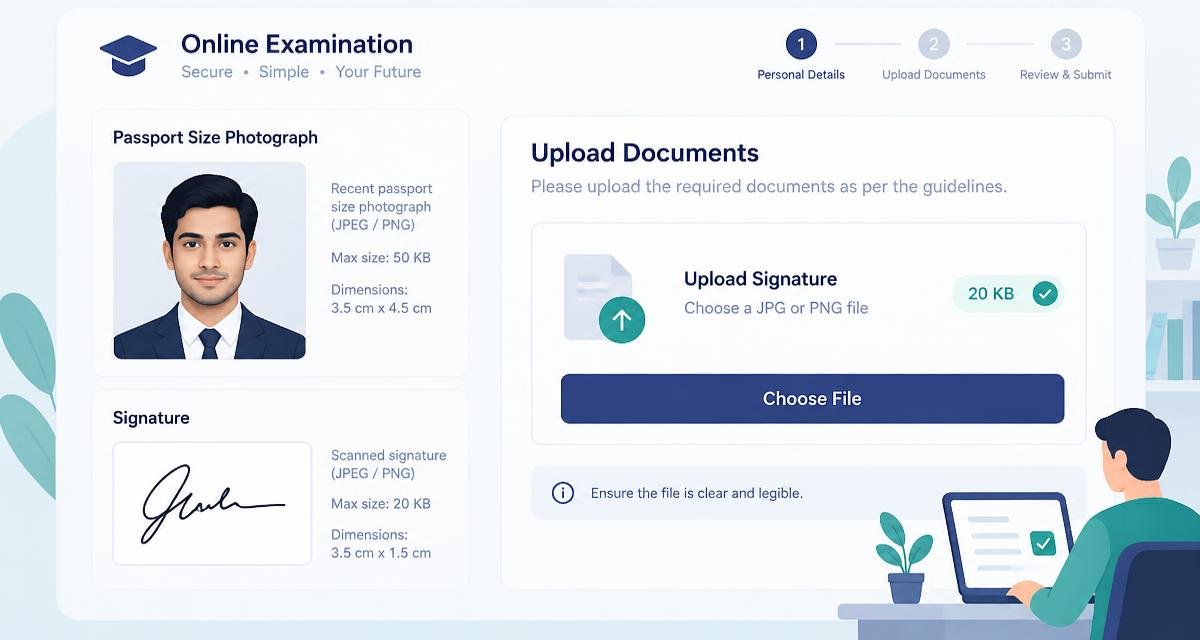
Application portals for competitive exams, bank recruitment and university admissions almost all ask for the same thing: a passport photo of 20 to 50 KB, and a scanned signature of 10 to 20 KB, in JPG, at a fixed pixel size.
These numbers are small but not unreasonable. The photo is printed at postage-stamp size on an admit card, so it never needed 4 MB of camera data in the first place.
Read the instruction page before you touch the file
Portals usually specify three things at once, and failing any one of them rejects the upload:
- File size, in KB — a maximum, and sometimes a minimum too.
- Pixel dimensions — commonly 200 x 230 for the photo and 140 x 60 for the signature.
- Format — nearly always JPG or JPEG. A PNG renamed to .jpg will be rejected.
Photos: resize first, then compress
- 1Crop the photo so the face fills most of the frame, head and shoulders, plain background.
- 2Resize to the dimensions the portal asks for — do not skip this, it does most of the size reduction for you.
- 3Set the target to 20 KB (or 50 KB, whichever the form allows) and let the tool find the quality that fits.
- 4Zoom in on the face. If the eyes have turned into smudges, go up one size band or re-crop tighter.
- 5Save as JPG with a simple filename, no spaces or special characters.
Signatures: the opposite problem
A signature is dark ink on white paper, which compresses extremely well — 10 KB is easy. The real risk is the scan itself: a shadowed phone photo of a signature has a grey, uneven background that both compresses badly and looks unprofessional.
Scan or photograph the signature on a plain white sheet in even light, crop tightly to the ink, and then resize. At 140 x 60 pixels a signature lands under 10 KB almost automatically.
Typical limits you will meet
- Photograph: 20 KB to 50 KB, 200 x 230 pixels.
- Signature: 10 KB to 20 KB, 140 x 60 pixels.
- Thumb impression, where required: 20 KB to 50 KB.
- Supporting documents: often 100 KB to 500 KB, sometimes as PDF.
- Passport and visa photos: usually under 1 MB, at a larger pixel size.
Why not to upload an ID photo to a random converter
A passport photo plus a signature is most of what someone needs to impersonate you on paper. Handing both to an anonymous website that stores them on a server, for free, is a poor trade.
Under1MB runs the entire resize and compress inside your browser. The photo is read from your disk into the page, processed by your own device, and handed back. No server receives it, so no server can keep it. Metadata, including the GPS coordinates your phone quietly attached, is dropped during re-encoding.
If the upload still fails
- Check the extension is really .jpg and the file is really a JPEG, not a renamed PNG or HEIC.
- Make sure the size is under the cap, not exactly on it.
- Some portals also enforce a minimum size — if yours asks for 20 to 50 KB, do not submit a 6 KB file.
- Try a different browser. A few older government portals still have quirks with modern file pickers.
Do it now, in this tab
Nothing to install, no account, and your file never leaves your device.
Frequently asked questions
How do I resize a photo to exactly 20 KB?+
Set the pixel dimensions the form requires, then set a 20 KB target and let the tool search for the highest quality that fits underneath it. Aim for a little under the limit rather than exactly on it.
Why does my signature look grey after compressing?+
The scan itself probably had a grey background. Crop tightly to the ink and rescan on plain white paper in even light — a clean signature compresses to under 10 KB with no visible loss.
Can I convert a HEIC iPhone photo for an exam form?+
Yes. Convert the HEIC to JPG first, then resize and compress it to the required size. Portals do not accept HEIC.
Is it safe to compress my passport photo online?+
It is here, because the file never leaves your device. Avoid tools that upload your image to a server — an ID photo and a signature together are sensitive documents.
What pixel size should a 20 KB exam photo be?+
Most Indian exam portals specify 200 x 230 pixels for the photograph and 140 x 60 for the signature, but always follow the instruction page for your specific form.
Does compressing remove the EXIF and GPS data?+
Yes. Re-encoding the image writes a fresh file without the original metadata, so location and camera details are dropped.
Spotted something out of date, or want a guide on a size limit we have not covered? Email Mohitgoyal1108@gmail.com.